Counting Words, Characters and Everything Text Limits Depend On
A 500-word personal statement that comes in at 540 gets rejected before anyone reads it. A meta description written to 190 characters gets cut mid-sentence in search results. Neither problem is about writing quality; both are about a number nobody checked.
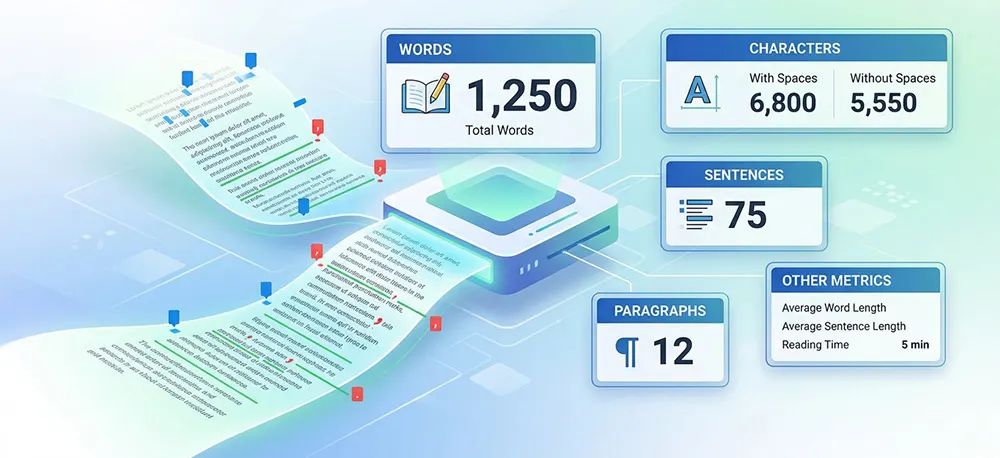
A word counter reports that number. Paste in text, and it returns the word count, the character count with and without spaces, and usually sentence and paragraph totals alongside. Most run in the browser, update as you type, and cost nothing.
This guide covers what each metric actually measures, why character count and word count answer different questions, where hard limits genuinely apply, and the places where relying on the number leads people astray.
What a Word Counter Measures
A counter produces several independent metrics from the same block of text. They are related but not interchangeable, and knowing which one a given requirement refers to matters more than the tool you use to produce it.
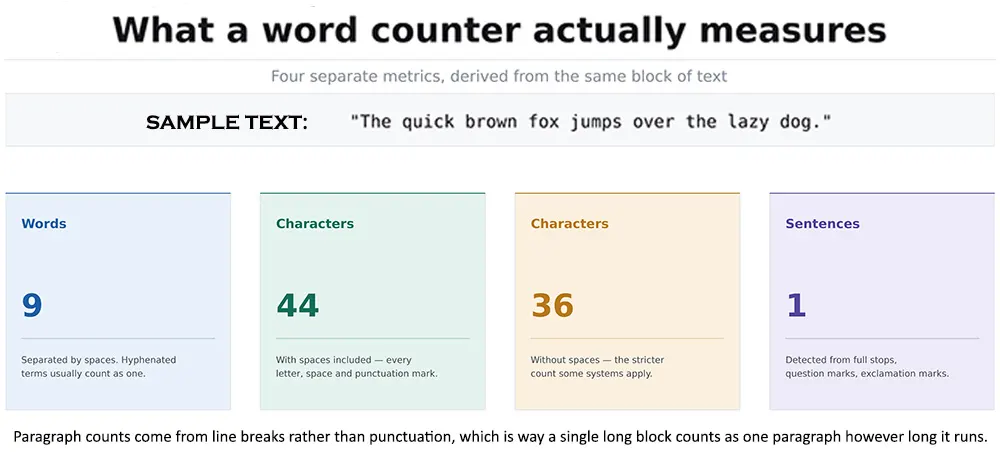
Figure 1: Four metrics derived from a single sentence. The two character counts differ by exactly the number of spaces — eight, in this case.
Words are separated by spaces, which is why hyphenated terms such as "well-written" normally register as one word rather than two. Sentences are detected from terminal punctuation: full stops, question marks, exclamation marks, so a sentence ending in an ellipsis or a dash can be miscounted.
Paragraphs work differently again: they are identified by line breaks, not punctuation. A single unbroken block counts as one paragraph however long it runs, which makes the paragraph metric more a measure of formatting than of structure.
Character Count, With and Without Spaces
This is the distinction people most often get wrong, usually by assuming a limit refers to whichever count their tool happens to display by default.
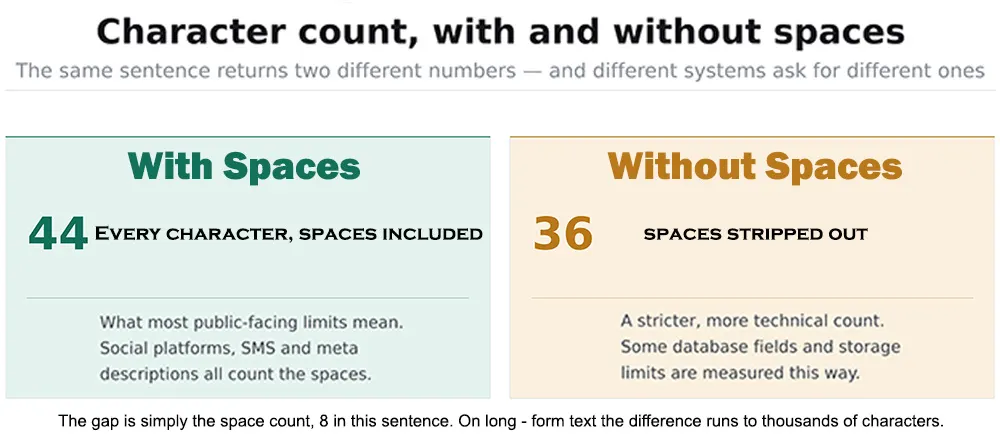
Figure 2: The same sentence returns 44 characters with spaces and 36 without. Which number a system wants depends entirely on that system.
Counts that include spaces reflect how text actually occupies a field, which is why nearly every public-facing limit social posts, SMS, search snippets is measured that way. Counts that exclude spaces turn up more in technical contexts: storage fields, certain database constraints, occasionally academic submission rules.
On a single sentence, the gap is trivial. Across a 2,000-word document, it can run to well over a thousand characters, enough to matter when a hard ceiling is involved.
Where Character Limits Actually Apply
Word count tends to govern long-form writing, where the limit is a guideline or a grading requirement. Character count governs anything with a fixed cap, where overrunning doesn't produce a warning; it produces silent truncation.
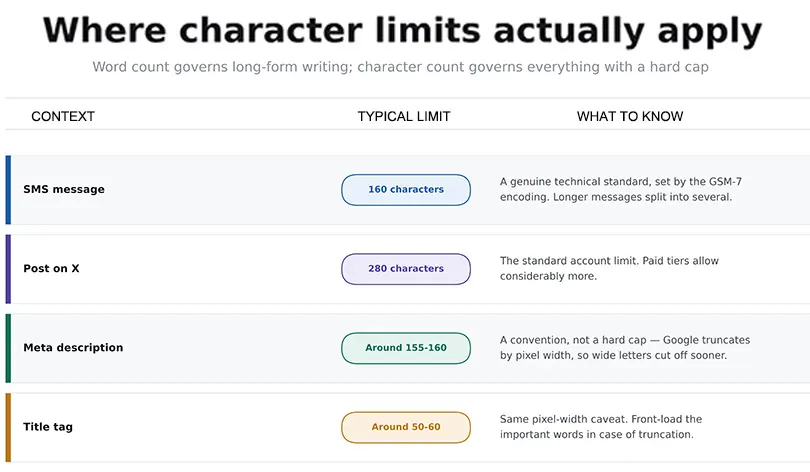
Figure 3: Four common limits. Two are genuine technical ceilings; two are conventions where the real constraint is pixel width rather than character count.
The SMS limit is a real technical standard rather than a design choice: the GSM-7 encoding fits 160 characters into a single message segment, and anything longer is split and billed accordingly.
Search-related limits work differently and are widely misunderstood. Google truncates titles and descriptions by rendered pixel width, not by character count. A description built from wide characters will cut off earlier than one of identical length built from narrow ones, which is why the commonly quoted figures are approximations rather than rules. Front-loading the sentence with the important part is more reliable than counting to a specific number.
Word Count and Search Rankings

This is where the topic attracts more confident advice than the evidence supports, so it's worth being precise.
Word count is not a ranking factor. Google has stated this directly. There is no length threshold a page crosses to become eligible to rank, and no target figure that improves its position.
What does exist is a correlation, frequently cited and frequently misread: pages ranking well for competitive queries often happen to be long. The reasonable explanation is that thoroughly answering a broad question tends to take a while, not that length itself earns the ranking. Padding a thin page to 2,000 words produces a longer thin page.
The practical use of a counter in this context is narrower and more honest than the usual framing. If a draft covering a genuinely broad topic comes in at 400 words, that is worth interrogating not because 400 is too short by rule, but because it suggests the topic may not have been covered. The number is a prompt to reread, not a target to hit.
Keyword Density
A Correction Worth Making
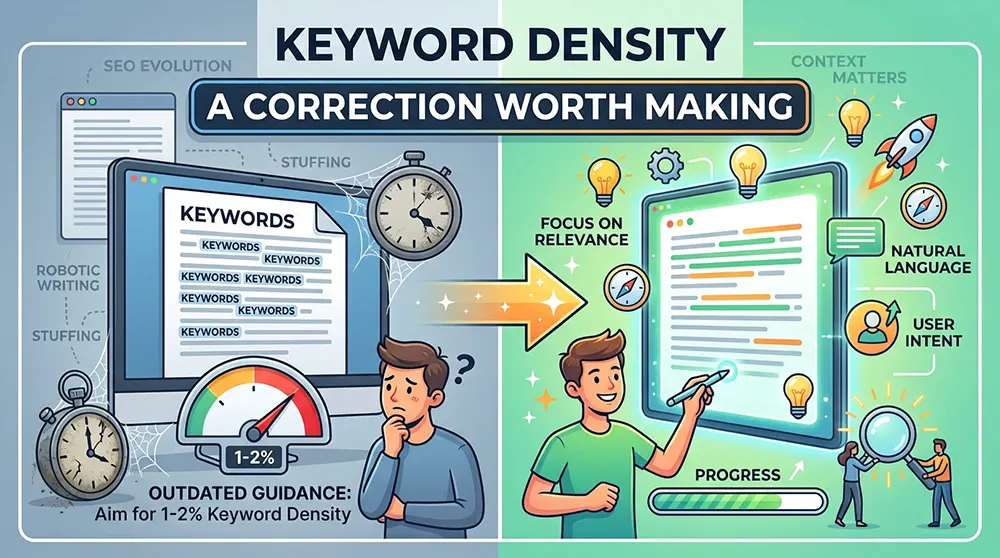
A great deal of writing on word counters repeats the advice that keyword density should sit between one and two percent. That guidance is obsolete, and it's worth saying plainly rather than repeating.
Google has stated publicly that there is no ideal keyword density and that it is not used as a ranking signal. The figure originates from early-2000s SEO practice and survives mainly through repetition. Writing to hit a percentage produces text that reads as though it was written to hit a percentage, which is the outcome the advice was supposed to prevent.
A density readout still has a legitimate narrow use: as a diagnostic after drafting. If a phrase turns up thirty times in a thousand words, that's a signal the prose has become repetitive, a readability problem worth fixing on its own terms, independent of any search consideration.
Who Uses Word Counters, and For What
The pattern across these is consistent: anything a human reads as prose is measured in words, and anything a system stores or renders in a fixed space is measured in characters.
Built-In Counters and Standalone Tools
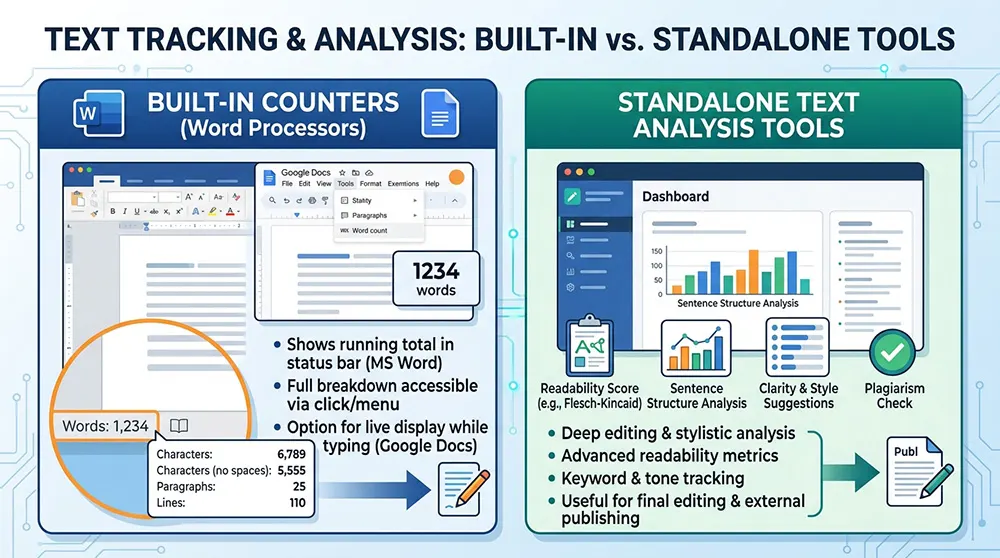
Word processors already include this. Google Docs reports word and character counts from the Tools menu, with an option to display a live count while typing. Microsoft Word shows a running total in the status bar and a fuller breakdown when clicked. For drafting inside those applications, that is generally sufficient.
Standalone browser tools earn their place in two situations. The first is checking text that isn't in a document: a snippet from a CMS field, a draft social post, a block of copy pasted from an email. The second is when the extra readouts matter: reading time, keyword frequency, or a character count, both with and without spaces shown simultaneously rather than one at a time.
One consideration worth noting: browser-based counters typically process text client-side, but not all of them state this clearly. For confidential material, unpublished work, client documents, anything under an agreement, the counter already built into your word processor avoids the question entirely.
Where Word Counts Get Misused
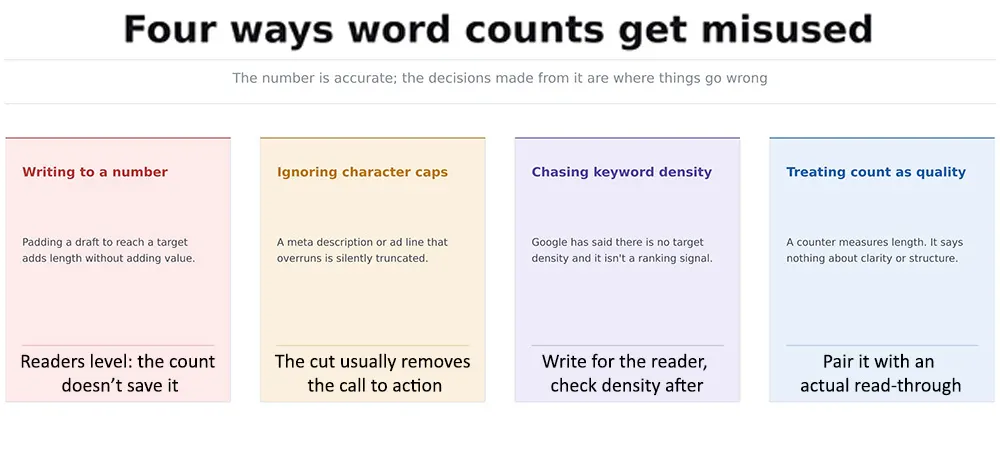
Figure 4: The counter itself is accurate. These are all failures of interpretation rather than measurement.
The most common is treating the number as a proxy for quality. A counter measures length and nothing else; it cannot detect a circular argument, an unsupported claim, or a paragraph that says the same thing twice. Those require reading the draft.
Close behind is writing toward a target. Once a word count becomes the objective rather than a constraint, the natural response to a short draft is padding, and padding is visible to readers in a way it isn't to the counter.
The third is checking words when the limit is in characters. Meta descriptions, ad copy, and social posts all fail this way, and the failure is invisible in the draft; the text looks complete right up until it is published and cut off mid-clause.
Frequently Asked Questions
Does word count affect Google rankings?
Not directly. Google has confirmed word count is not a ranking factor. Pages that rank well for competitive queries are often long, but that reflects the depth those queries require rather than length producing the ranking. A padded page is still a thin page.
What is the ideal keyword density?
There isn't one. Google has stated there is no target density and that it is not used as a ranking signal. The commonly quoted one-to-two-percent figure is outdated SEO folklore. Density is useful only as an after-the-fact check for unintentional repetition.
Should I count characters with or without spaces?
With spaces, unless something specifically tells you otherwise. Nearly all public-facing limits social platforms, SMS, search snippets include them. Counts excluding spaces appear mainly in technical contexts such as database field constraints.
Why does my meta description get cut off even under the character limit?
Because Google truncates by rendered pixel width rather than character count. A description using wide characters occupies more horizontal space than one of identical length using narrow characters, so it cuts off sooner. Character guidance for snippets is an approximation, not a threshold.
Do hyphenated words count as one word or two?
Most counters treat a hyphenated term as a single word, since they separate words at spaces. Behaviour varies slightly between tools, so for a submission with a strict limit it is worth checking against the counter the assessor will use.
Can a word counter tell me if my writing is any good?
No. It measures length, and some tools estimate reading time or flag repeated phrases. None of that assesses whether an argument holds together or whether a paragraph earns its place. That still requires reading the draft.
Conclusion
A word counter answers one question accurately and instantly: how long is this? That is genuinely useful when a limit is enforced, and the tool costs nothing to use.
The errors all occur downstream of the measurement. Treating length as a proxy for quality, writing toward a target rather than against a constraint, checking words when the cap is in characters, or chasing a keyword density figure that Google has said it doesn't use none of these are failures of the counter. They are decisions made from a number that was never meant to carry that much weight.
Used as a constraint check rather than a writing goal, it does its job well. The reading still has to happen separately.