How to Create, Customize, and Track Scannable Codes
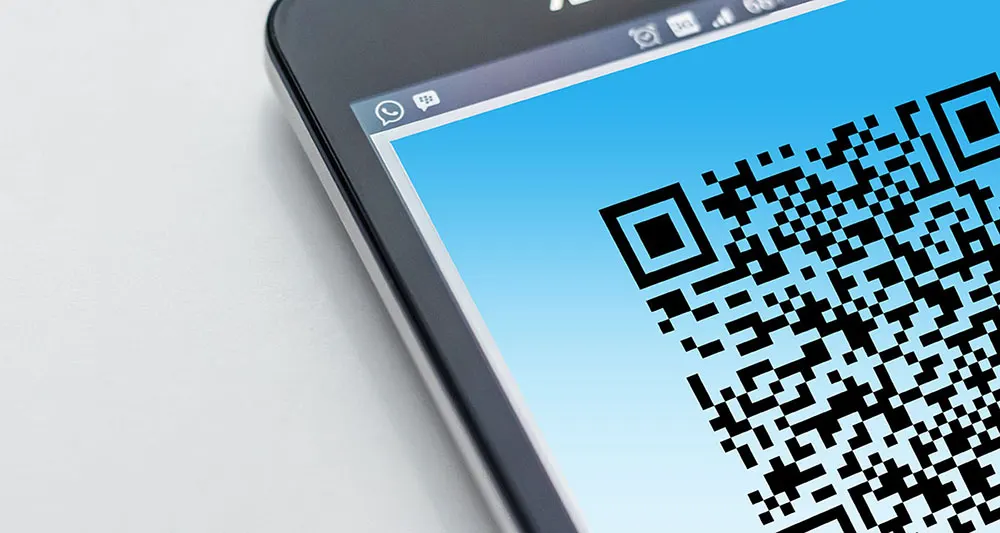
Scanning a square code on a restaurant table to pull up a menu has become so routine that most people never think about what's happening. A camera reads a pattern, and a second later a webpage opens. The technology behind it is older than the smartphone era, but it became ubiquitous for a simple reason: it removes the friction of typing a long URL on a phone.
A QR code generator is the tool that creates those patterns. Enter a URL, a phone number, a block of text, or contact details, and the generator encodes that data into a scannable grid. The basic version of this is free and takes seconds. The more capable versions add design control, scan tracking, and the ability to change where a code points after it's already been printed.
This guide covers how QR codes actually work, the practical difference between static and dynamic codes, what kinds of data can be encoded, how to design a code that stays scannable, and the genuine security considerations worth knowing.
How a QR Code Actually Works
A QR code, short for Quick Response code, is a two-dimensional barcode that stores data in a grid of black and white modules. Unlike a traditional barcode, which only encodes information horizontally, a QR code encodes in two directions, which is why it can hold substantially more data in a small physical footprint.
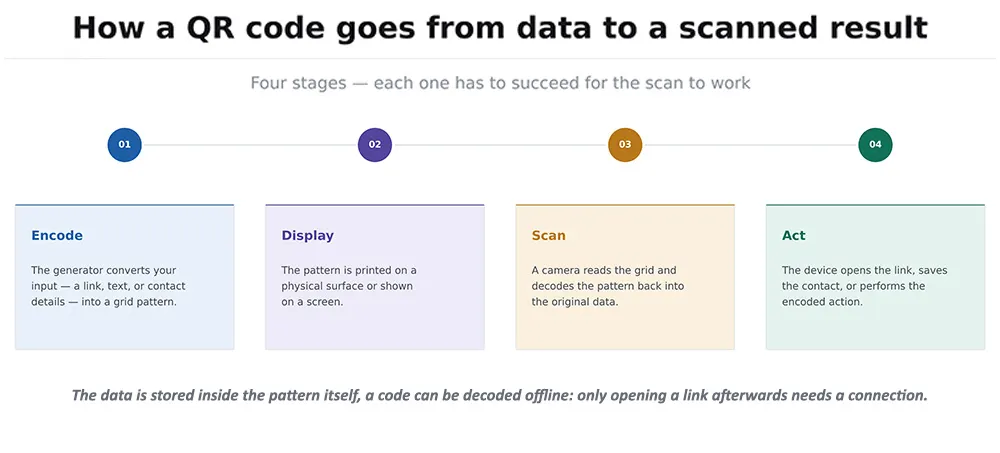
Figure 1: The path from raw data to a completed scan. The data is stored inside the pattern itself — which is why a code can be decoded without an internet connection, even though opening a link afterward does require one.
The distinctive square markers in three corners are position detection patterns. They let a scanner figure out the code's orientation, which is why a QR code reads correctly whether it's upright, sideways, or upside down. QR codes also include built-in error correction, meaning a code can still be read even when part of it is scratched, obscured, or covered by a logo, typically up to around 30% damage depending on the error correction level chosen at generation.
Because virtually every modern smartphone camera detects QR codes natively, without needing a separate app installed, the practical barrier to someone actually scanning one has effectively disappeared. That shift, more than any change to the technology itself, is what drove the adoption surge.
Static vs. Dynamic QR Codes
This is the most consequential decision when generating a code, and the one most people don't realise they're making.
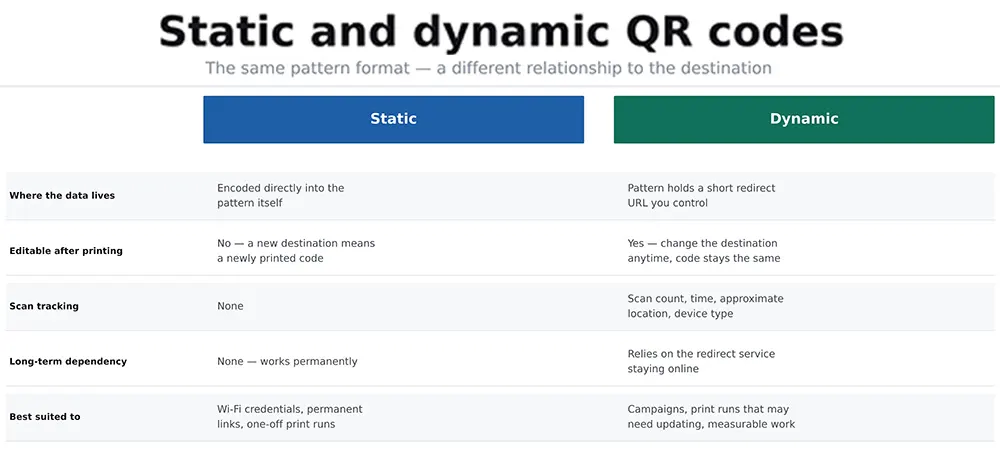
Figure 2: A static code has the destination baked permanently into its pattern. A dynamic code points to a redirect the creator controls, which is what makes both editing and scan tracking possible.
A static QR code encodes the destination data directly into the pattern. Once generated and printed, it can't be changed; a different destination requires generating and printing an entirely new code. Static codes are free with essentially every generator, work indefinitely without depending on any third-party service staying online, and carry no tracking capability whatsoever.
A dynamic QR code encodes a short redirect URL managed by the generator's service. Scanning it sends the user through that redirect to the actual destination, which means the destination can be changed at any time without touching the printed code, and every scan can be logged. The trade-off is a dependency: if the service managing the redirect shuts down, the printed codes stop working.
For anything printed in volume or intended to last packaging, signage, business cards that dependency is worth weighing seriously. For a time-limited campaign where tracking matters, dynamic is usually the right call.
What Can Be Encoded in a QR Code
The pattern itself is format-agnostic; what varies is the type of data written into it, and what a scanning device does with that data once decoded.
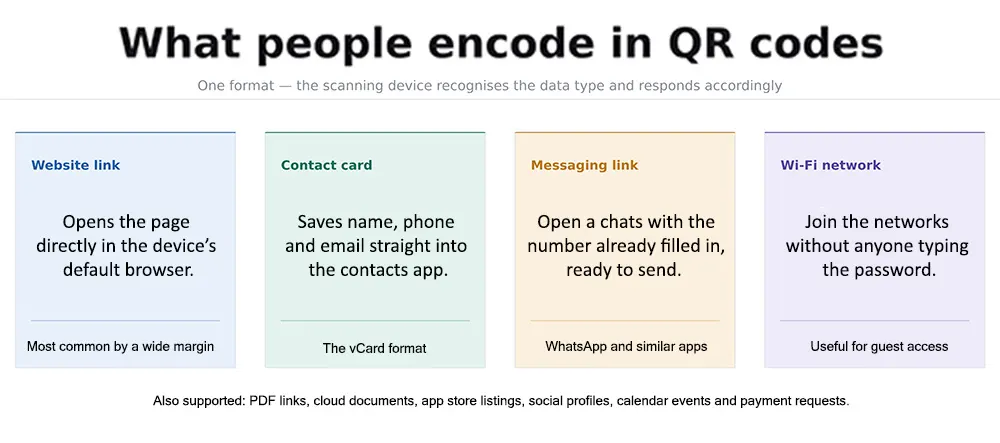
Figure 3: Four of the most common data types. The device recognises the format and takes the appropriate action automatically — opening a browser, adding a contact, launching a chat, or joining a network.
A website URL is the most common by a wide margin; the code opens a page directly in the device's default browser.
A vCard encodes structured contact details name, phone, email, company which the device offers to save directly into its contacts app. This is what makes QR codes on business cards genuinely useful rather than a gimmick.
A WhatsApp link opens a chat with a specific number pre-filled, optionally with a pre-written message, removing the step of saving a contact first.
Wi-Fi credentials let a device join a network without anyone typing out a long password, genuinely useful for guest networks in cafés, offices, and rentals.
Beyond these: PDF links, Google Docs and Sheets, app store listings, social media profiles, calendar events, plain text, and payment requests are all standard supported formats.
Designing a QR Code That Still Scans
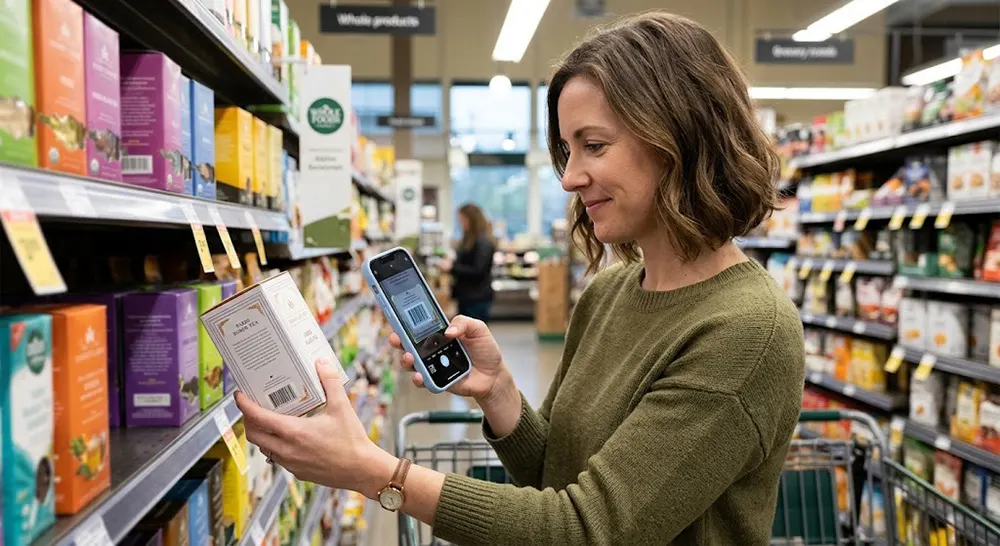
Most generators now support visual customization: brand colors, an embedded logo, custom corner shapes, transparent backgrounds. These make a code look considerably better than a plain black grid, and every one of them carries some risk of breaking scanability if pushed too far.
Contrast is non-negotiable. The code's modules must contrast sharply against the background. Dark modules on a light background is the reliable standard; inverting this (light modules on dark) fails to scan on a meaningful share of devices, even though it often looks better.
A centre logo works because of error correction, not in spite of it. Setting a higher error correction level before adding a logo gives the code enough redundancy to survive the obstruction. Keeping the logo under roughly 20 to 30% of the code's area is the practical safe limit.
The quiet zone matters more than it looks like it should. QR codes need a clear margin of space around all four sides, roughly the width of four modules. Crowding text or graphics right up against the edge is a common cause of scan failures that otherwise look inexplicable.
Print size depends on scanning distance. A rough working rule is that the code should be at least one-tenth the distance from which it'll be scanned; a code meant to be scanned from two metres away on a poster needs to be around 20 cm across. Codes printed too small are the single most common physical-world failure.
Testing Before You Print
This is the step that gets skipped most often, and it's the one that prevents the most expensive mistakes. A thousand printed flyers with a code that doesn't scan is an entirely avoidable problem.
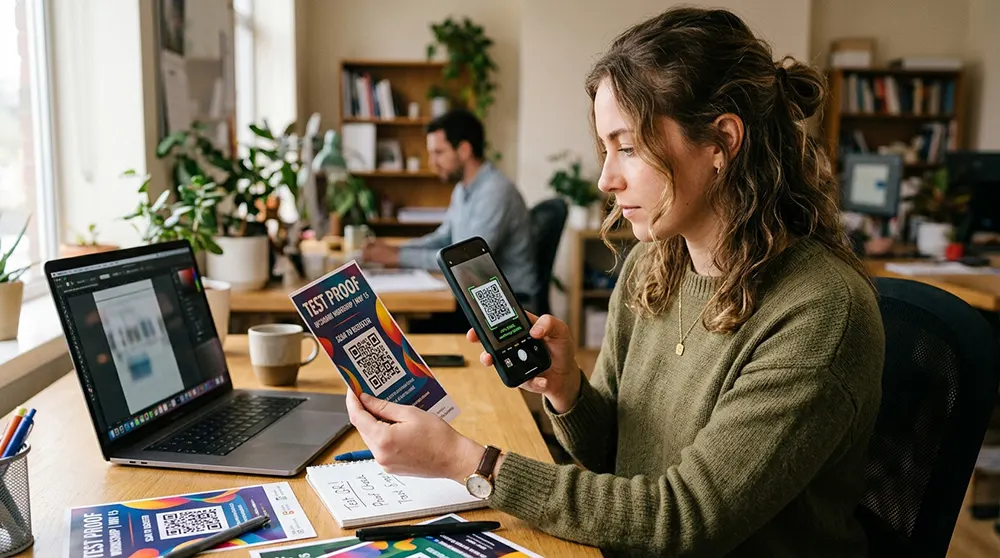
Test on multiple devices. Scan with both an iPhone and an Android device if possible. Native camera scanning behaves slightly differently across platforms and OS versions.
Test at actual size. Scanning a code at full resolution on a monitor proves nothing about whether it works at the size it'll actually be printed.
Test in realistic lighting. Dim restaurant lighting, direct sunlight glare on a glossy surface, and an angled viewing position all affect scan reliability in ways a desk test won't reveal.
Verify the destination loads correctly. Confirm the linked page works on mobile specifically; a code that scans perfectly into a broken or desktop-only page has still failed at its actual job.
Tracking and Analytics
Scan tracking is the main practical reason to choose a dynamic code over a static one. Because every scan passes through a redirect the generator controls, that service can log each one.
Typical available data includes total scan count, timestamps showing when scanning peaks, approximate geographic location derived from IP address, and device or operating system breakdown. For a campaign running across multiple physical locations, generating a separate code per location turns that into genuinely comparative data on which poster site or which store actually drove engagement.
Two honest caveats worth stating. First, scan data measures scans, not outcomes; a high scan count with no corresponding conversions means the code worked and the destination page didn't. Second, location data derived from IP address is approximate, typically accurate to city level rather than anything more precise.
Choosing a Generator
One point worth weighing before committing to a dynamic code service: those codes only keep working as long as that service does. For permanent applications, product packaging, engraved signage, anything with a long physical lifespan, a static code has no such dependency, which is often worth more than tracking.
Are QR Codes Safe?
The format itself carries no inherent risk. A QR code is just encoded data; it can't execute anything on a device by itself. The genuine risk is entirely about where a code sends someone, combined with the fact that a person can't read a destination URL by looking at a pattern.
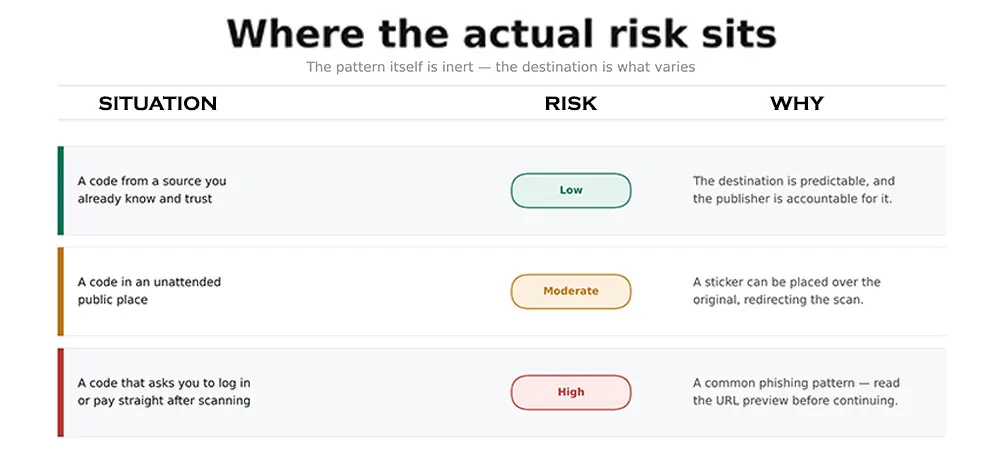
Figure 4: Risk scales with how much you can trust the source of the code. The pattern is never the problem — the destination is.
The specific attack pattern worth knowing about is physical tampering: someone places a sticker with their own QR code over a legitimate one, on a parking meter, a restaurant table, or a public poster. Scanning it leads somewhere the original owner never intended, frequently to a convincing fake login or payment page.
Practical precautions: most phone cameras show a preview of the destination URL before opening it; read that preview rather than tapping through reflexively. Be sceptical of any code that leads immediately to a login or payment request. And on a physical code in public, a quick look for a sticker edge or a raised layer over the printed surface takes a second and catches the most common tampering.
For anyone publishing codes rather than scanning them, the corresponding responsibility is straightforward: link only to pages you actually control, use HTTPS, and periodically verify that printed codes still resolve where they're supposed to.
Frequently Asked Questions
What is a QR code generator?
A tool that encodes data a URL, contact details, Wi-Fi credentials, plain text into a scannable two-dimensional pattern. Basic generators are free and require no account; more capable ones add design customization, scan tracking, and the ability to edit a code's destination after printing.
What's the difference between a static and a dynamic QR code?
A static code has the destination permanently encoded in its pattern; it can't be changed and can't be tracked, but it works indefinitely with no service dependency. A dynamic code points to a redirect controlled by the generator, which allows both editing the destination later and logging every scan, at the cost of depending on that service staying online.
Do QR codes expire?
Static codes don't the data is in the pattern and stays readable permanently. Dynamic codes depend on the redirect service remaining active; if the service shuts down or a subscription lapses, those codes stop resolving. The code pattern itself never degrades, but what it points to can disappear.
Can a logo be added without breaking the code?
Yes, within limits. QR codes include error correction that allows part of the pattern to be obscured and still decode, typically up to around 30% at the highest correction level. Keeping a centre logo under roughly 20 to 30% of the code area and setting a high error correction level before generating keeps it reliably scannable. Always test afterward.
How small can a printed QR code be?
It depends on scanning distance. A practical rule is that the code should be at least one-tenth the distance it'll be scanned from about 2 cm for close-range scanning off a business card, considerably larger for a poster read from across a room. Printing too small is the most common physical cause of scan failures.
Are QR codes safe to scan?
The format itself is safe; it's just encoded data and can't execute anything. The risk is in the destination, which can't be seen before scanning. Most phone cameras preview the URL before opening it; reading that preview and being cautious with codes in unattended public places where a sticker could have been placed over the original covers the realistic risks.
Can hundreds of codes be generated at once?
Yes, bulk generators accept a spreadsheet or CSV of destinations and produce a corresponding code for each, which is how product-level codes for inventory or per-location campaign codes get made practically. For anything integrated into an application, a QR library in the relevant programming language generates codes programmatically without any third-party service involved.
Conclusion
A QR code generator solves a narrow problem well: turning data into something a phone camera can read instantly, without anyone having to type anything. The technology is mature, and the basic version is free, which makes the interesting decisions design and strategy decisions rather than technical ones.
The two that matter most are static versus dynamic permanence and independence against editability and tracking, and whether the code will actually scan reliably in the real conditions it'll be used in. Contrast, quiet zone, print size, and genuine testing on more than one device cover most of what goes wrong in practice.
On safety, the useful mental model is that the code is never the risk; the destination is. Reading the URL preview before tapping through, and treating unattended public codes with a bit more caution than one handed to you directly, is proportionate to the actual risk without being paranoid about a format that's fundamentally just a way of writing text in squares.